A Comprehensive Guide

In today’s rapidly evolving digital landscape, the ability to sift through and make sense of vast datasets is invaluable. Enter Relevance AI, a platform that stands at the forefront of this transformative wave, offering tools and functionalities designed to enhance data analysis and application development. This blog post provides a step-by-step guide to getting started with Relevance AI, leveraging its capabilities to build custom tools that can revolutionize the way you interact with data.
Step 1: Understanding the Basics
Before diving into the intricacies of Relevance AI, it’s crucial to grasp the foundational concepts. Relevance AI is a platform that facilitates the development of data-driven applications by providing an interface for executing complex data operations, analysis, and visualization. It is designed to help developers and data scientists streamline the process of working with large datasets, using AI to uncover insights and patterns.
Step 2: Setting Up Your First Tool
The journey with Relevance AI begins with the creation of your first custom tool. Here’s how to kickstart your project:
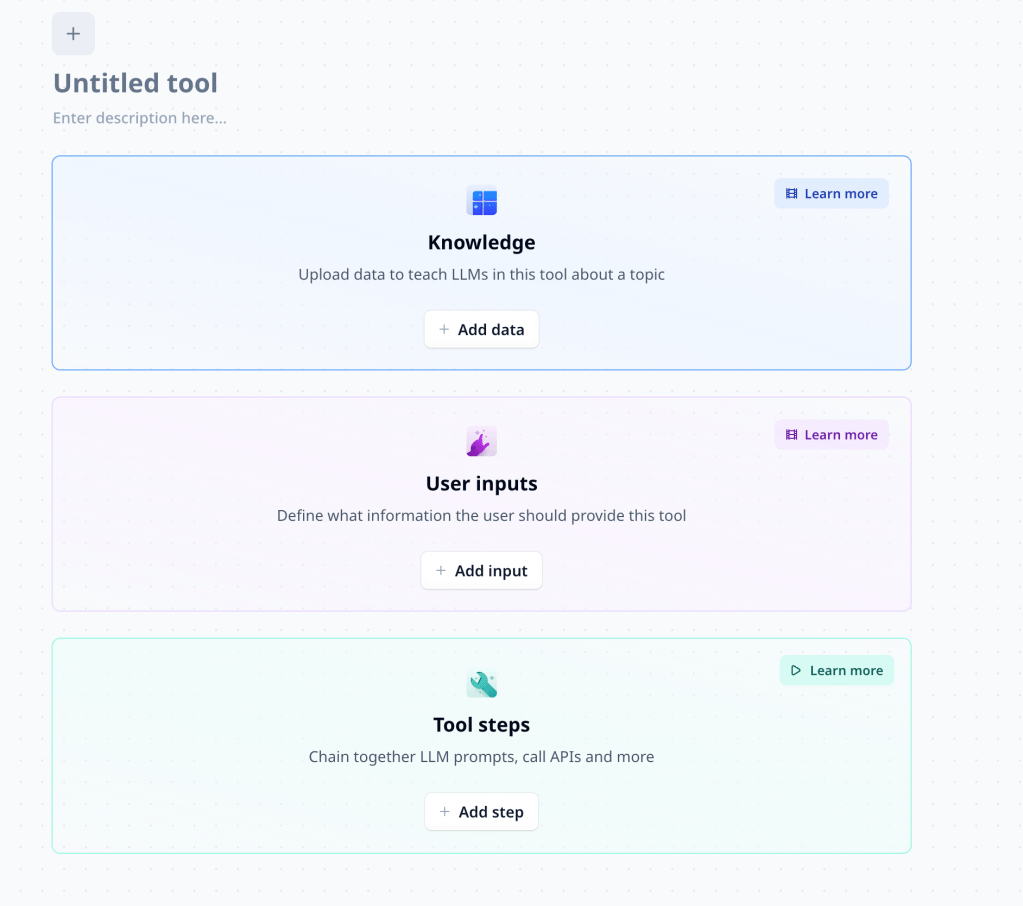
- Access the Dashboard: Navigate to the Relevance AI dashboard. This is your control center, where you can manage projects, datasets, and tools.
- Create a New Tool: Look for the option to create a new tool. This will be your workspace for building and configuring your application.
- Define Tool Steps: Each tool is comprised of steps. These steps are the building blocks of your tool, representing individual operations or analyses that can be performed on your dataset.
Step 3: Adding and Configuring Steps
Once your tool is created, the next step is to add and configure steps tailored to your specific needs. Here’s a breakdown of how to do this:
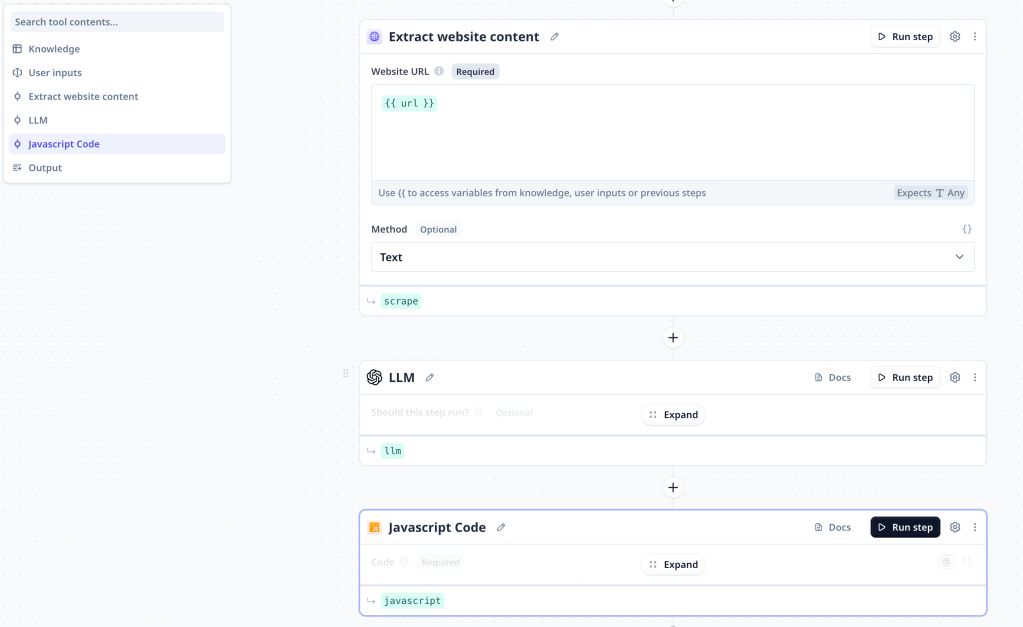
- Choose a Step: Select a step that corresponds to the operation you wish to perform, such as data filtering, clustering, or vectorization.
- Configure the Step: Each step comes with a set of parameters that need to be configured. This might involve specifying the fields in your dataset to analyze, setting thresholds, or choosing algorithms.
- Execution Conditions: Relevance AI allows you to set conditions under which steps are executed, offering flexibility in how operations are applied to your data.
Step 4: Running Your Tool
With your steps configured, it’s time to run your tool and see the magic happen. Here’s what you need to know about executing your tool:
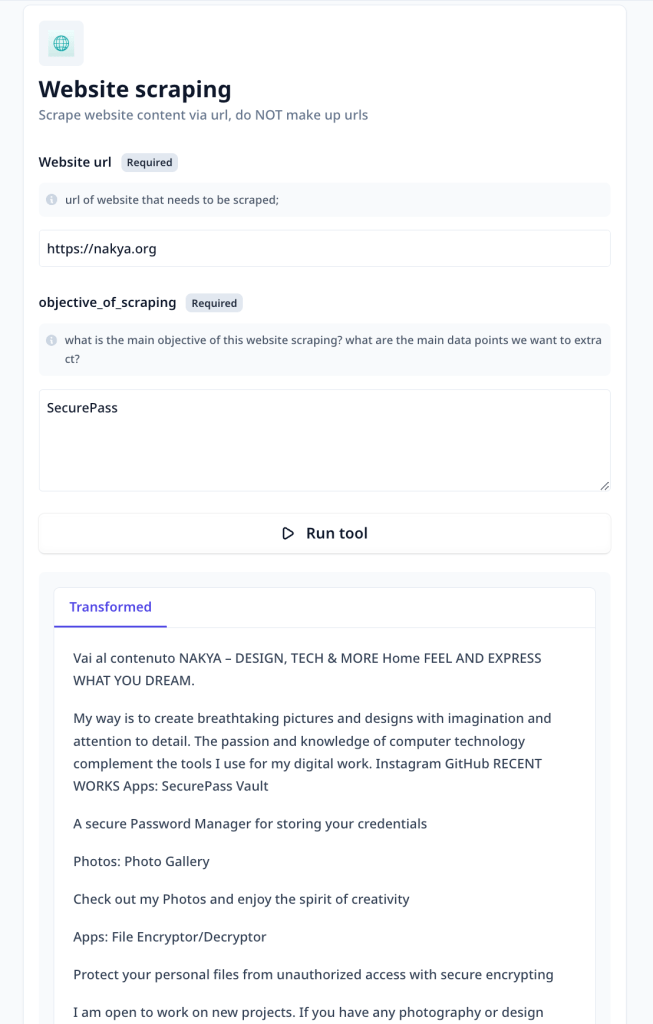
- Execute Steps: Initiate the execution of your steps. You can choose to run them sequentially or configure loops for repetitive operations.
- Monitor Progress: The Relevance AI dashboard provides insights into the execution status of your steps, allowing you to monitor progress in real-time.
- View Results: Upon completion, the results of your operations will be available for review. This could be in the form of modified datasets, visualizations, or statistical analyses.
Step 5: Iterating and Improving
The development of custom tools with Relevance AI is an iterative process. Based on the outcomes and insights gained from your initial runs, you can refine your steps, tweak configurations, or add new operations to enhance the functionality of your tool.
Practical Example: Customer Sentiment Analysis
Let’s put theory into practice with a simple example: analyzing customer feedback to gauge sentiment.
- Data Preparation: Start by uploading your dataset of customer feedback to Relevance AI.
- Step 1 – Text Vectorization: Add a step to convert feedback text into vectors using AI models, making the data suitable for analysis.
- Step 2 – Sentiment Analysis: Implement a step that analyzes the sentiment of each feedback, classifying them into positive, neutral, or negative categories.
- Step 3 – Aggregation: Add a final step to aggregate sentiment analysis results, providing an overall sentiment score for your dataset.
By executing this tool, you can quickly identify trends in customer satisfaction, enabling informed decisions to improve products or services.
Conclusion
Relevance AI is a powerful ally in the realm of data analysis and application development. By understanding how to effectively build and configure custom tools within the platform, you can unlock new insights from your data, driving innovation and efficiency in your projects. Whether you’re a seasoned data scientist or a developer looking to harness the power of AI, Relevance AI offers the tools and flexibility needed to transform data into action.
Embark on your journey with Relevance AI today and explore the limitless possibilities that await.
 Nakya - Design, Tech & More
Lascia un commento