A Beginner’s Guide to Using OpenAI’s API

OpenAI is like a secret garden filled with AI wonders, offering tools for everyone, from casual users to hardcore developers. Whether you’re exploring ChatGPT for personal insights or eager to infuse AI into your projects, OpenAI paves the way. Let’s break down how you can leverage OpenAI’s offerings, focusing on the fun part and the costs involved.
Two Paths to AI Wizardry: GPT Plus and OpenAI API
GPT Plus gives you a VIP experience with ChatGPT for $20 a month. It’s like a fast-pass, letting you jump the queue with quicker responses and giving you access to exclusive features. Ideal for personal use, GPT Plus makes your ChatGPT interactions smoother and more enjoyable.
OpenAI API is the toolkit for builders and dreamers. Want to add AI to your app or website? This is where the magic happens. It lets you create talking bots, answer complex questions, or even craft images with AI. The cost? It depends on how much you use it, calculated by the number of tokens (pieces of text) processed in your prompts and responses.
Supercharging Your Projects: Intelligent Assistants and Customization
Intelligent Assistants with OpenAI: Imagine creating a digital helper in your app that can chat, gather info, or assist like a best friend. OpenAI enables you to build these intelligent assistants, offering a range of smartness levels (from GPT-3.5 to GPT-4) to fit perfectly within your project.
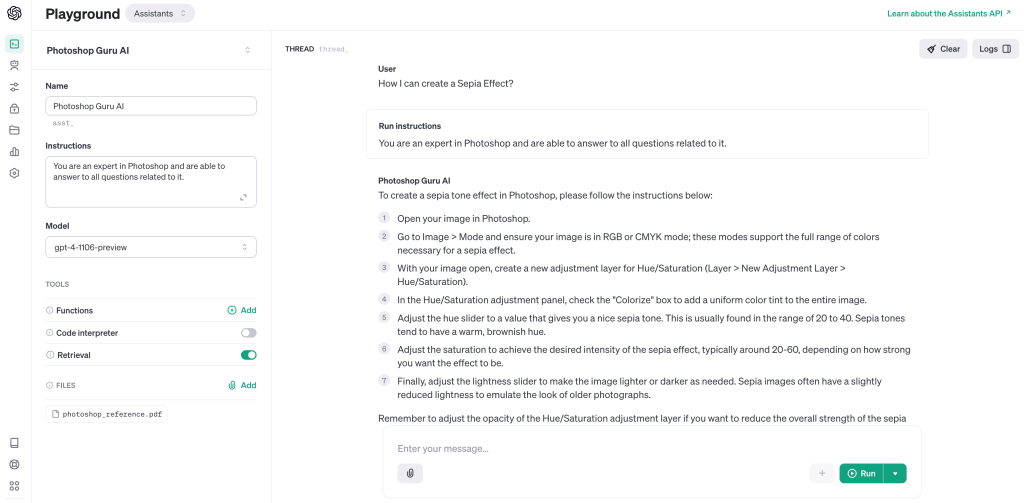
Customization Through Fine-Tuning: Want your AI to have a special touch or know specific things about your project? OpenAI allows you to fine-tune the AI, teaching it to align with your project’s tone or knowledge needs. This personal touch ensures your AI feels right at home within your project.
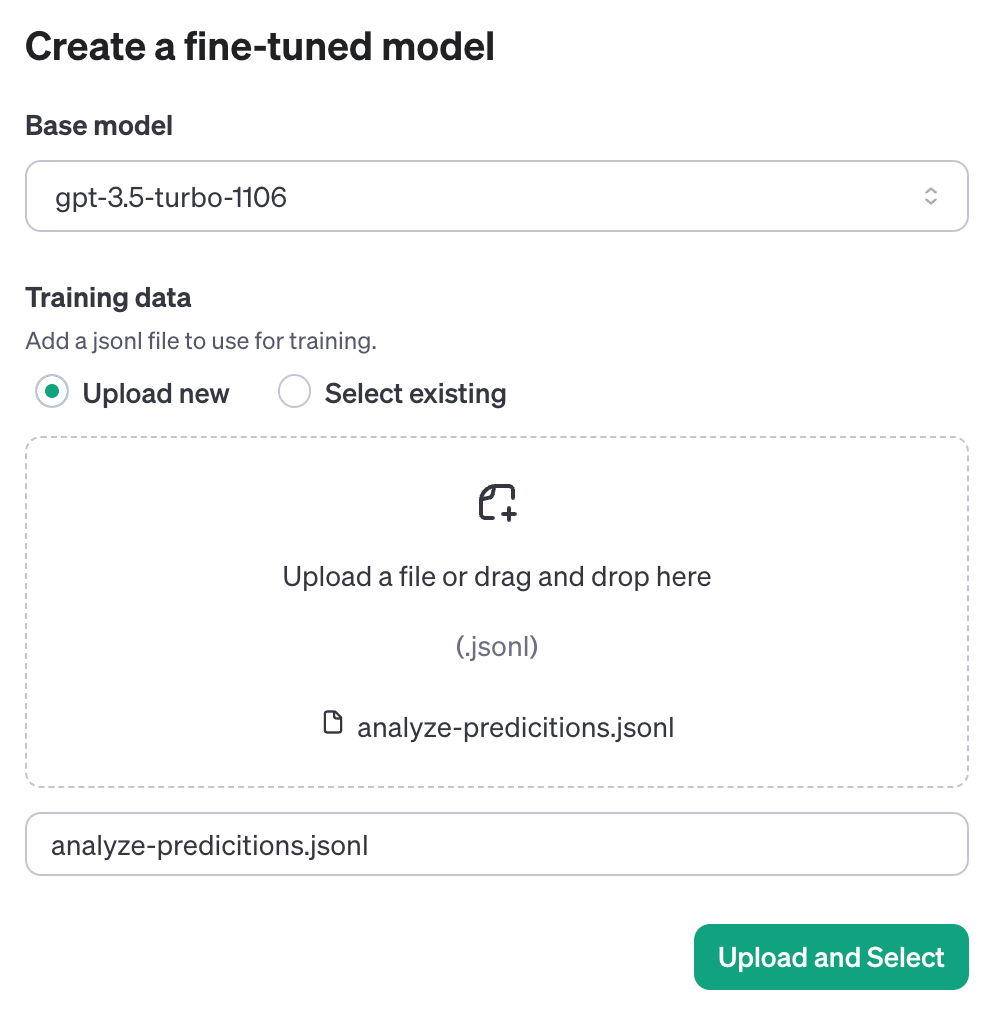
Getting Started with OpenAI: A Cost-Conscious Approach
Step 1: Create an API Key
Sign up with OpenAI and grab an API key. This key is your passport to AI land, enabling your project to harness OpenAI’s capabilities. Remember, this key is a secret just for you.
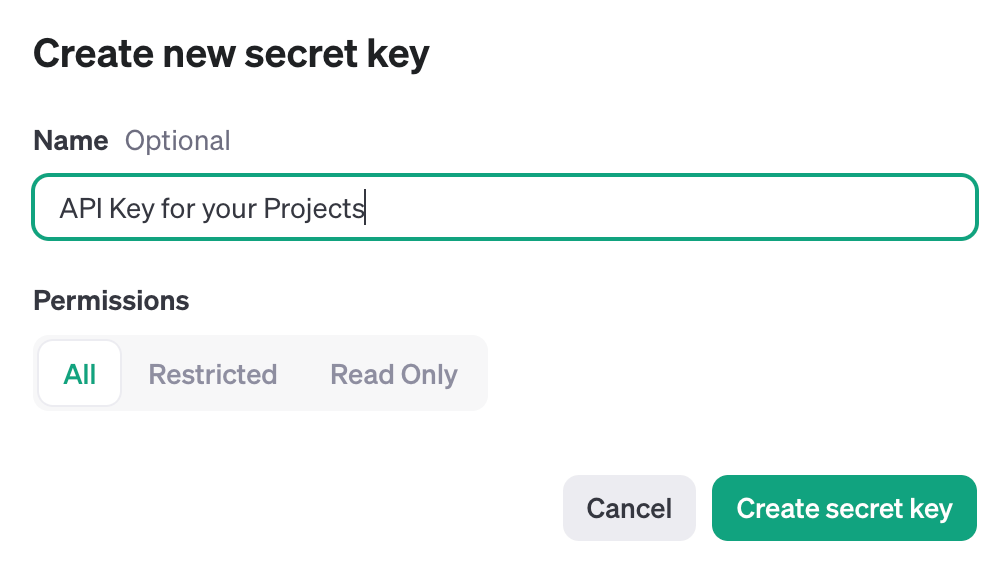
Step 2: Setup Made Easy
Prepare your project to communicate with OpenAI. For Python enthusiasts, a simple command gets everything ready. This makes integrating OpenAI into your project straightforward and hassle-free.
Step 3: Keep Your Key Under Wraps
Securely add your API key to your project, ideally as an environment variable. This ensures your key remains a secret, safeguarding your access to OpenAI.
Step 4: Dive into the Water
Kick things off by asking OpenAI to create a welcoming message for your website:
import openai
openai.api_key = 'your_private_key'
response = openai.Completion.create(
  model="gpt-4-turbo-preview",
  prompt="Help me write a warm welcome message for our website visitors.",
  max_tokens=100
)
print(response.choices[0].text.strip())
This code snippet requests a friendly greeting, giving you a taste of what OpenAI can do. Run it, and voilà—a custom welcome message for your visitors.
Step 5: Explore With an Eye on Costs
Dive into the vast capabilities of OpenAI, from chatting to creating art. Remember, with the OpenAI API, you pay based on token usage. So, as you experiment and build, keep an eye on how many tokens you’re using to manage your costs effectively.
Wrapping Up
OpenAI offers two exciting routes: GPT Plus for enhancing your personal ChatGPT journey at $20 a month and the OpenAI API for adding AI wonders to your projects, with costs based on usage. These options unlock endless possibilities, from intelligent chatbots to custom AI experiences. By understanding and managing the costs involved, you can smartly integrate AI into your projects, making them stand out without breaking the bank. So, why wait? Step into OpenAI’s world and start crafting your AI-powered projects today!
 Nakya - Design, Tech & More
Lascia un commento