A Step-by-Step Guide

In the digital age, AI chatbots serve as a pivotal tool for businesses aiming to elevate customer service, automate responses, and innovate processes. Voiceflow stands out as a premier platform, enabling the creation, prototyping, and deployment of conversational AI with unparalleled ease. This detailed guide will walk you through crafting an AI chatbot using Voiceflow, enriching it with vast knowledge sources, adding custom functionalities for enhanced flexibility, and deploying it onto websites and apps.
Step 1: Starting Your Voiceflow Project
Firstly, setting up your project on Voiceflow requires you to sign up and navigate through its user-friendly dashboard. Begin by:
- Creating a New Project: Select the option to create a chatbot. Voiceflow’s design canvas will appear, ready for your creative input.
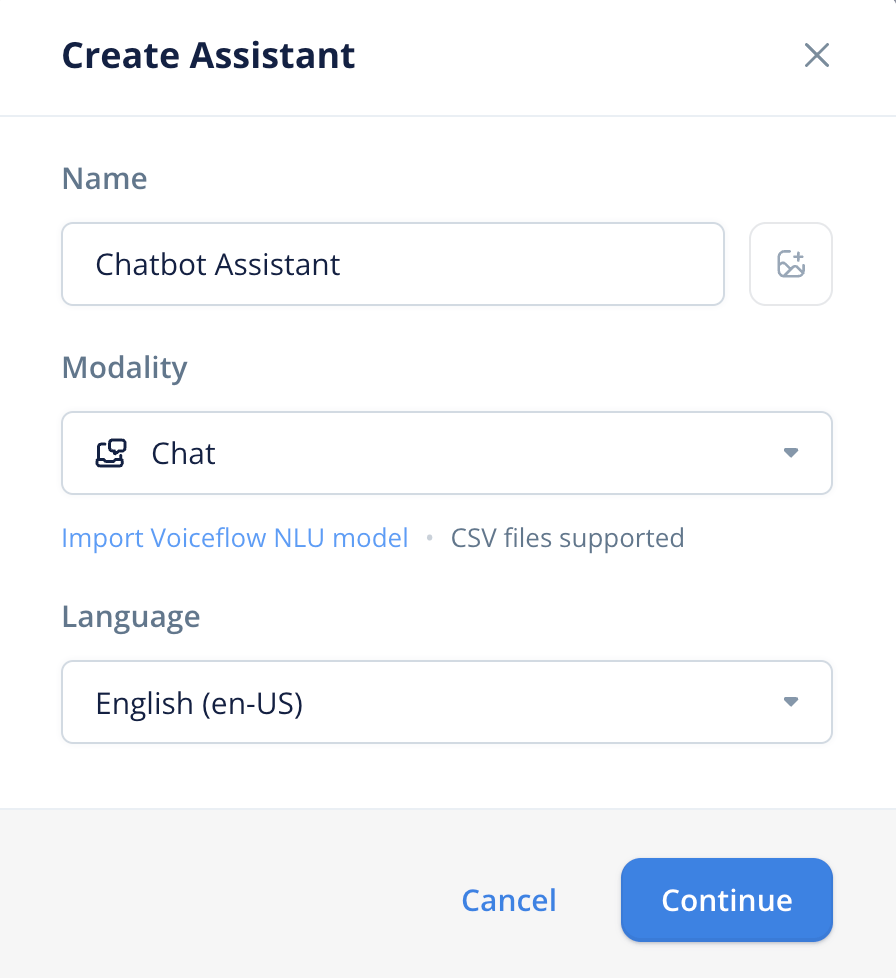
- Designing the Conversation Flow: Utilize Voiceflow’s drag-and-drop interface to construct your chatbot’s dialogue. Start simple, perhaps with a basic greeting like, “Hello! How can I assist you today?” This foundational step helps you understand the mechanics of chatbot interaction flow.

Step 2: Infusing Your Chatbot with Knowledge
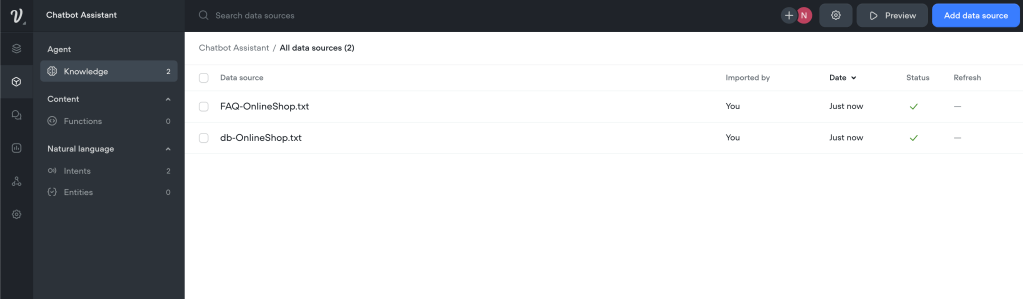
A well-informed chatbot can significantly enhance user interaction. Voiceflow facilitates the integration of external knowledge sources, such as documents and databases, to empower your chatbot with information.
- Integrating External Files: Connect your chatbot to file storage platforms such as Google Sheets or Dropbox. For example, import a FAQ spreadsheet to equip your chatbot with instant answers to common questions.
- Connecting to Databases: For real-time data access, use Voiceflow’s API blocks to link your chatbot with a database. This step may involve crafting API requests to fetch specific data based on user queries, necessitating a basic understanding of APIs and database management.

Step 3: Customizing with Advanced Functions
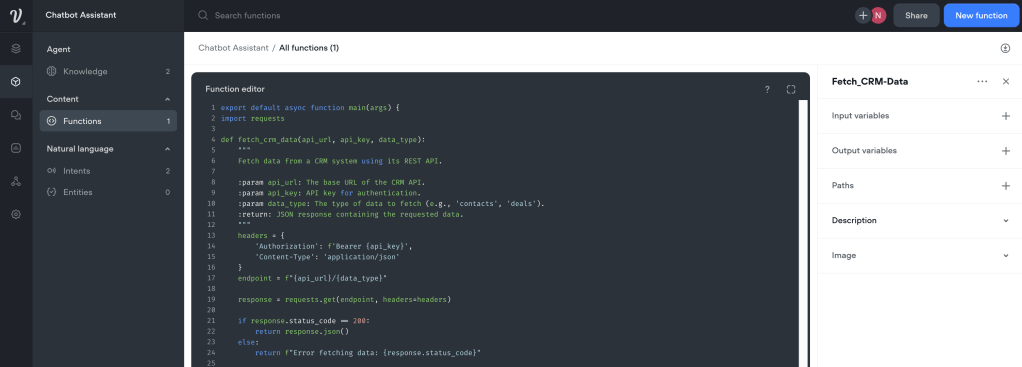
Voiceflow’s platform excels in allowing creators to imbue their chatbots with advanced functionalities through custom scripts and API integrations.
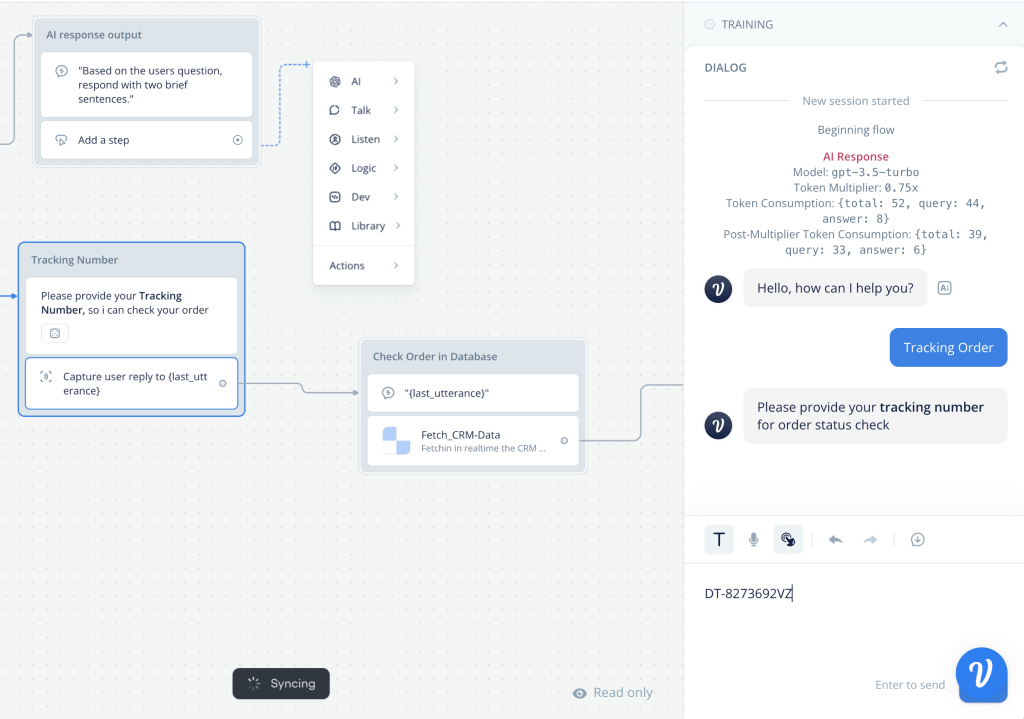
- Implementing Logic Blocks: These blocks enable conditional logic within your chatbot’s conversation paths. For instance, you can set up a block that checks a user’s order status when asked, providing a tailored response based on the order’s current state.
- Enhancing with API Calls: For functionalities beyond the built-in capabilities, such as processing payments or scheduling appointments, integrating external APIs is key. This allows your chatbot to perform actions like confirming a booking on a third-party service or retrieving live data from external sources.
Step 4: Comprehensive Testing
Testing is critical to ensure your chatbot functions as intended across various user scenarios.
- Utilize Voiceflow’s Testing Tool: Engage with your chatbot through the platform’s simulator, exploring different conversation paths to uncover any issues or areas for improvement.
- Iterate Based on Feedback: Refine and adjust your chatbot’s responses and logic based on test outcomes, ensuring a smooth and intuitive user experience.
Step 5: Deployment Across Platforms
With your chatbot ready and refined, the final step is to deploy it to your chosen platforms, be it web or mobile.
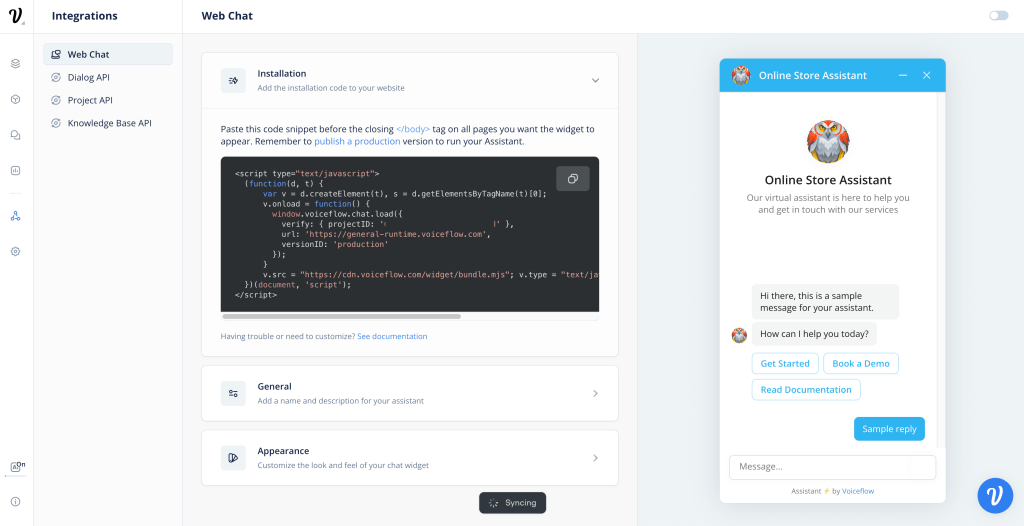
- Web Deployment: Voiceflow provides a snippet of JavaScript code for embedding your chatbot into your website. This process typically involves adding the code to your site’s HTML, allowing visitors to interact with your chatbot seamlessly.
- App Deployment: If you aim to integrate your chatbot into a mobile app, Voiceflow offers SDKs for popular platforms. This step might require collaboration with a developer to ensure smooth integration and functionality within your app.
Conclusion
Crafting an AI chatbot with Voiceflow is a journey of creativity and technical exploration, leading to the development of a powerful tool for engaging users, answering inquiries, and providing services autonomously. By following this guide and leveraging Voiceflow’s robust features, you are well-equipped to create a sophisticated and intelligent chatbot ready to be deployed into the digital world. Remember, the evolution of a chatbot is ongoing, driven by user interactions and feedback, ensuring it remains a dynamic and valuable asset to your digital toolkit.
 Nakya - Design, Tech & More
Lascia un commento